
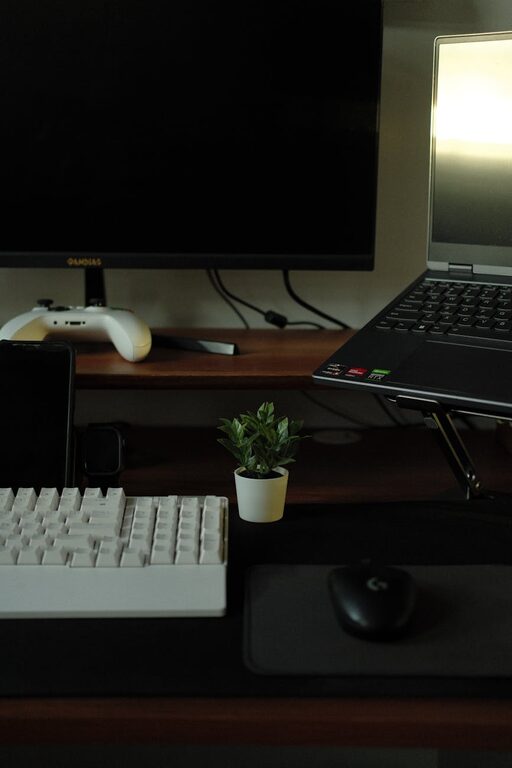
Creating a home workspace that is both clutter-free and inspiring can have a significant impact on your productivity and well-being. Without the distractions of mess and disorganisation, you can focus better and feel more motivated throughout your working day. Here are some helpful tips to organise your home workspace effectively.
Choose the Right Space
Selecting the ideal spot for your workspace is the first step. Ideally, this should be a quiet, well-lit corner of your home where you can work comfortably without interruptions.
– Natural Light: Position your desk near a window to enjoy natural light, which can improve mood and concentration.
– Minimal Foot Traffic: Avoid places with constant movement to reduce distractions.
– Privacy: If possible, choose an area where you can close a door or create a boundary to separate work and home life.
Clear Your Desk and Only Keep Essentials
A cluttered desk leads to a cluttered mind. Start by removing everything from your desk and only putting back the items you truly need.
– Daily Use Items: Keep your computer, phone, notebook, and writing tools within reach.
– Limit Decor: While personal touches make your space inspiring, avoid overcrowding with too many ornaments.
– Use Desk Organisers: Trays, cups, or small boxes for pens and stationery help keep things tidy and easy to find.
Create a Functional Storage System
Storage solutions are key to maintaining order and reducing clutter.
Shelves and Cabinets
Install shelves or use cabinets to store items you don’t use every day, such as reference books or additional supplies.
Drawers with Dividers
If your desk has drawers, divide them into sections to separate different types of items. This prevents small objects from accumulating in one messy pile.
Filing System
Paper clutter can build up quickly. Use a filing system with labelled folders for bills, receipts, or important documents.
Establish a Decluttering Routine
Regularly clearing your workspace prevents the return of clutter.
– Daily Tidy: Spend five minutes at the end of each day putting things back in place.
– Weekly Review: Take a little longer once a week to check for any unnecessary items that can be removed.
– Digital Declutter: Organise computer files and emails to maintain a smooth workflow.
Personalise Your Space Thoughtfully
An inspiring workspace should feel welcoming without being overwhelming.
– Plants: Adding a small plant can bring life and improve air quality.
– Artwork or Quotes: A favourite picture or motivational quote can boost creativity.
– Comfortable Chair and Ergonomics: Invest in a chair that supports good posture and arrange your screen at eye level.
Use Lighting to Set the Mood
Good lighting reduces eye strain and improves atmosphere.
– Task Lighting: In addition to natural light, use a desk lamp with adjustable brightness.
– Warm vs Cool Light: Choose lighting that suits your needs—warm lights enhance calmness, while cooler lights can increase alertness.
Manage Cables and Electronics
Tangled cables and devices add to visual clutter and can be frustrating.
– Cable Organisers: Velcro straps or cable boxes keep cords neat.
– Docking Stations: Use docking stations or stands to keep gadgets organised.
– Wireless Options: Whenever possible, switch to wireless keyboards, mice, or chargers.
Set Boundaries Between Work and Relaxation
Especially in a home environment, it’s important to keep work and leisure separate.
– Clear Desk Policy: When not working, clear your desk to signal the end of the workday.
– Dedicated Work Hours: Stick to a schedule to maintain balance.
– Separate Zones: Use rugs or screens to define your workspace visually.
—
By following these tips, you can create a home workspace that not only keeps clutter at bay but also inspires you to do your best work. Small changes like better storage, thoughtful decor, and a clear routine can transform your environment into a productive haven. Remember, the goal is to design a space that feels both organised and motivating to support your daily tasks.